
Over the past few weeks, you shared excellent feedback and ideas for product improvements with us. We put in the work to ship these improvements before the BFCM season.
TL;DR
-
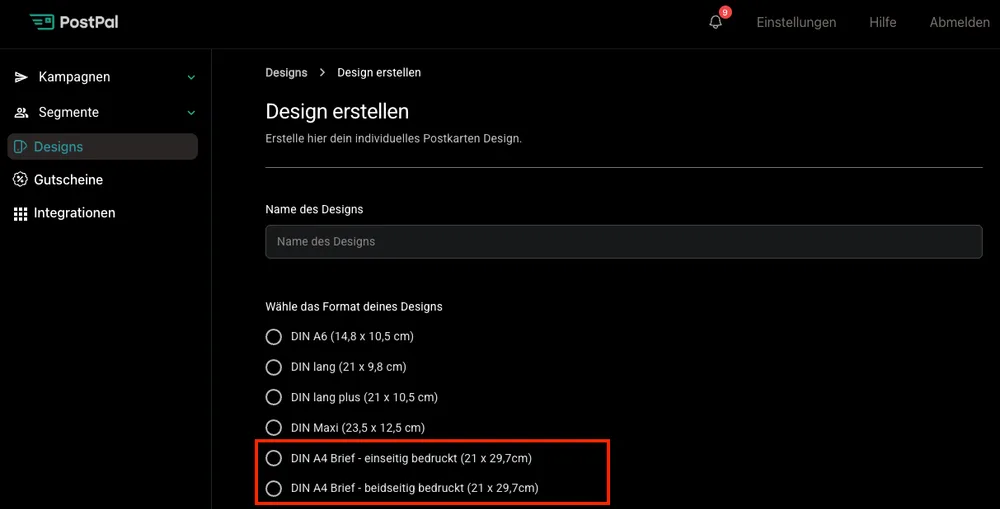
DIN A4 is now available in self-service. Choose the format directly in the design upload.
-
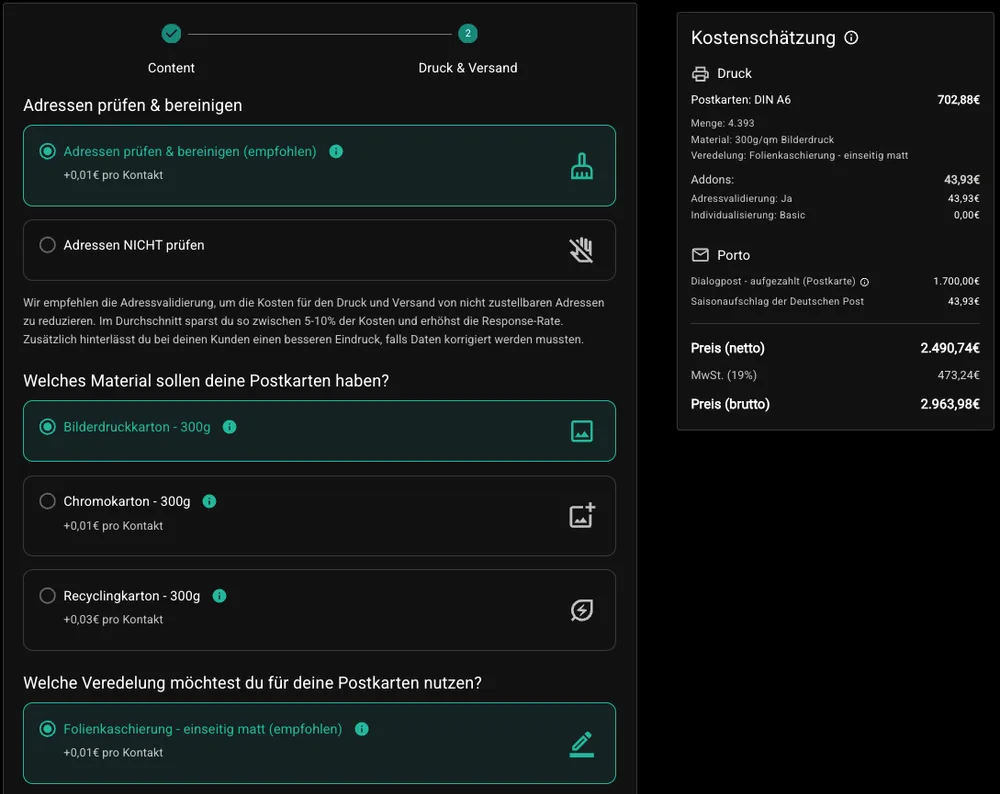
Cost estimate during campaign creation, with transparent breakdown of print, add-ons and postage.
-
New campaign view, one-off campaigns and auto-mailings separated, better filters and sorting.
-
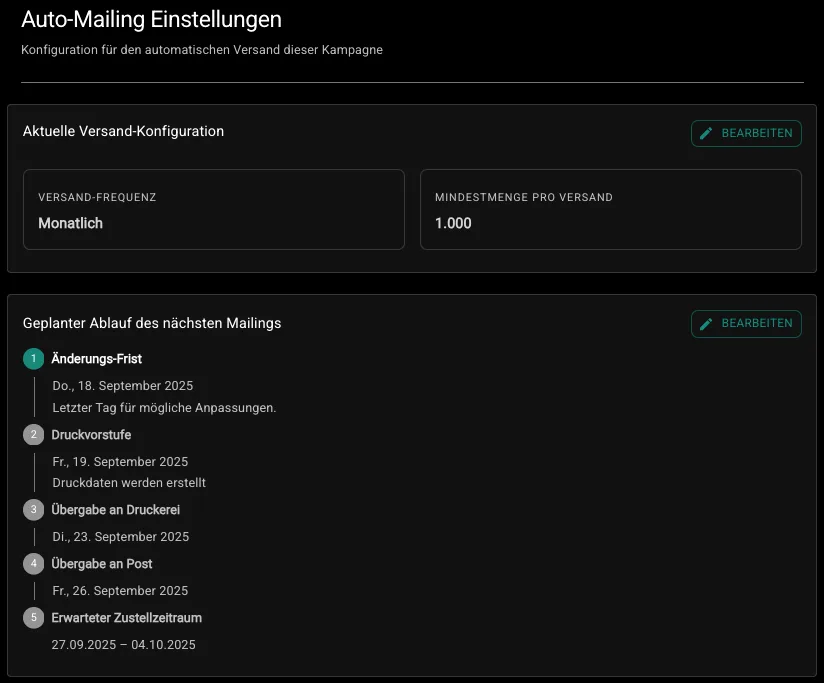
Reschedule auto-mailings by setting a new next shipping date instead of pausing.
DIN A4 now also in self-service
What is new?
In the design upload, you can now select “DIN A4 letter, one-sided” or “DIN A4 letter, two-sided”.
Why is this useful?
No more detour through project management. You create A4 letters directly yourself, go live faster and need fewer coordination loops.
How to use it:
Upload design → choose DIN A4 format → done.
Cost estimate during campaign creation
What is new?
While you create the campaign, we show you a cost estimate including a breakdown: print, add-ons/services and postage.
Good to know:
Final costs may vary slightly because the final shipping quantity is known only after data preparation.
Benefit:
You get a realistic budget picture early and can plan better.
New campaign view: one-off campaigns and auto-mailings separated
What is new?
-
Separate tabs for one-off campaigns and auto-mailings
-
Clear status groups: draft, active (tracking running), completed (tracking ended)
-
New field “shipping date” and default sorting: newest first
Benefit:
Faster overview, less searching, clearer focus by campaign type.
Auto-mailings can now be rescheduled
What is new?
Instead of pausing an automation, you can simply set a new next shipping time as long as the mailing is not yet in prepress.
How it works:
-
Open auto-campaign
-
Click “Show auto-mailing settings”
-
At “Planned schedule of next mailing” → “Edit”
-
Choose a new delivery window
Practical example:
Your winback automation would run in October but collides with BFCM preparations. You simply set the next shipment to one week after BFCM, without pause-and-restart stress.