
PostPal API
The Direct Mail API for DACH.
Send physical mail via API. For B2B outreach, e-commerce, and any workflow that supports HTTP requests. Printing, postage and delivery in Germany, Austria, Switzerland and the Netherlands.
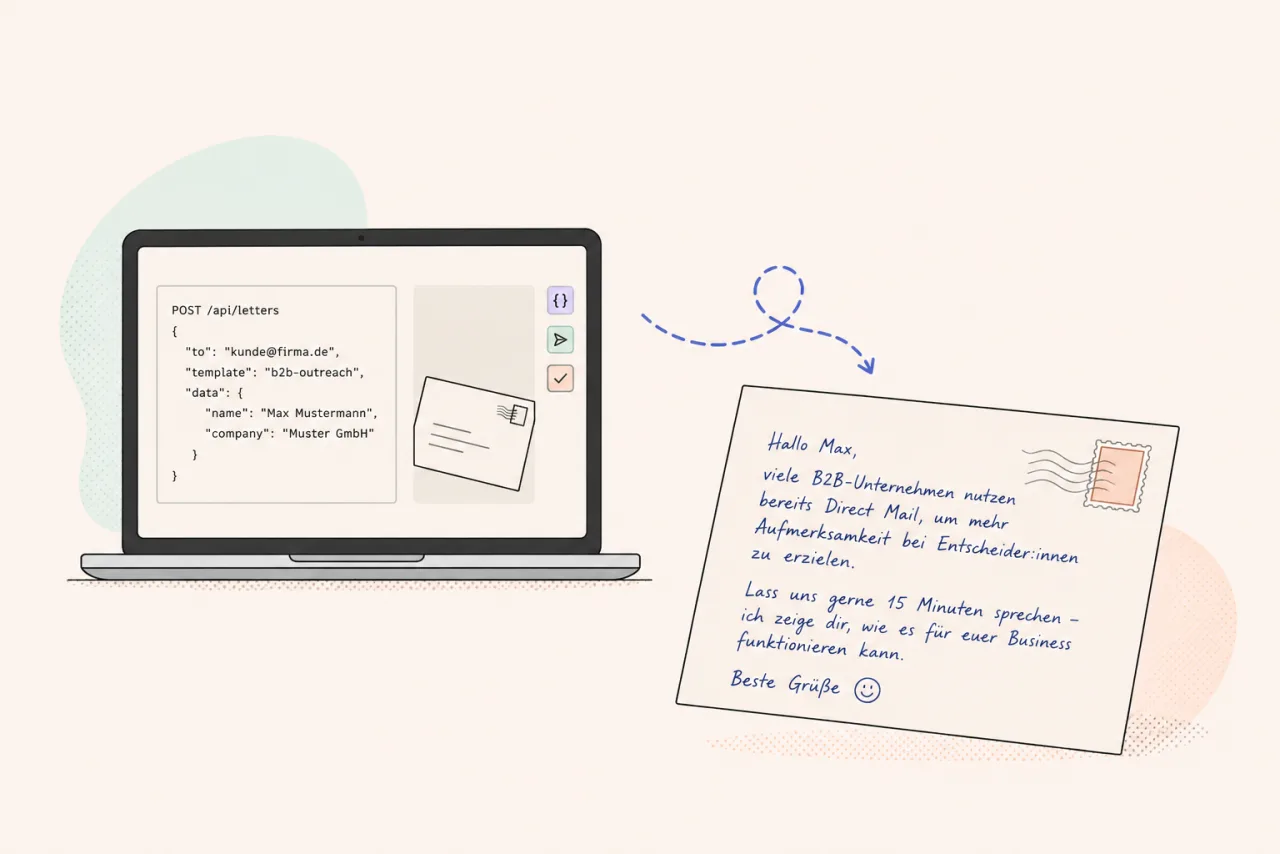
One API. Every send scenario.
-
REST API
One POST request per letter or in batch. Pass address data and variables, PostPal handles the rest.
-
Personalization
Place variables in the editor, PostPal fills them automatically. Including AI-generated text via API input.
-
Print and delivery
We print, frank and deliver in DACH. Postage is automatically optimized.
For every stack. For every industry.
B2B Outreach
-
Cold Outreach
Physical letters in multi-touch sequences. No spam filter, no algorithm.
Learn more -
ABM
Account-based marketing with physical touchpoints for high-value accounts.
Learn more -
Event Follow-Up
Personalized letters after trade shows and events. Who stays top of mind?
-
Deal Reactivation
Prospects who went quiet. A letter is on their desk when they return.
E-Commerce
-
Post-Purchase
Trigger a letter after purchase via API. Directly from your system, without a Klaviyo integration.
-
Win-Back
Reactivate inactive customers with physical mail and an individual voucher code.
-
Loyalty
Reward your best customers with personalized letters for your most valuable segments.
One API call. One letter on their desk.
No SDKs, no setup overhead. Directly via REST.
Full API reference →curl --request POST \
--url https://app.getpostpal.com/api/v1/postcards \
--header 'Accept: application/json' \
--header 'Authorization: Bearer YOUR_API_TOKEN' \
--header 'Content-Type: application/json' \
--header 'X-Request-Id: YOUR_REQUEST_ID' \
--data '{
"flow_id": "flow-uuid",
"from": {
"company": "Muster GmbH",
"first_name": "Markus",
"last_name": "Müller",
"address_line1": "Unter den Linden 1",
"zip": "10117",
"city": "Berlin",
"country": "DE"
},
"to": {
"first_name": "Max",
"last_name": "Mustermann",
"address_line1": "Musterstraße 42",
"address_line2": "c/o Familie Sommer",
"zip": "10115",
"city": "Berlin",
"country": "DE"
},
"content": {
"personal_message": "Hallo **Max**,\n\nVielen Dank für deinen Einkauf.",
"next_steps": "1. Paket prüfen\n2. QR-Code scannen\n3. Vorteil sichern"
},
"qr_codes": {
"voucher_url_1": "https://example.com/voucher/1",
"voucher_url_2": "https://example.com/voucher/2"
}
}'Works with your stack
PostPal's REST API works with any tool that supports webhooks or HTTP requests.
-
 HubSpot
 -
 Clay
Clay -
 Instantly
 -
 Make
Make -
 n8n
n8n -
 Zapier
 -
 Shopify
 -
 Klaviyo
… and many more integrations.
Pay-per-send. No subscription, no annual contract. Unit price decreases with volume.
Frequently asked questions about the API
Do I need an account to use the API?
Yes. After registering, you receive your API key. There is no sales call or approval process.
Which countries can I send to?
Germany, Austria, Switzerland and the Netherlands. Additional EU countries, the UK and the US are available on request.
How does personalization work?
Pass variables such as name, voucher code or free text via API. PostPal fills them automatically in your uploaded design. AI-generated text can be passed as a variable too.
Is there a minimum quantity?
From 100 pieces per send, we can ship cost-efficiently. Smaller quantities are possible but have higher unit prices.
What is the difference between Dialogpost and single letters?
PostPal automatically selects the most cost-effective postage for your quantity and use case. You do not need to decide this yourself.
Can the API be used in a GDPR-compliant way?
Yes. PostPal acts as a data processor. The sender remains responsible for the addresses and applicable legal basis.
Get started now.
Create an account, get your API key, send your first letter.