
You can now find detailed statistics for every mailing in the mailing detail view.
👉 How to get there:
-
Click your campaign in the Campaigns tab
-
Select “Show mailing performance”
-
Done, you can now see all details
What to expect
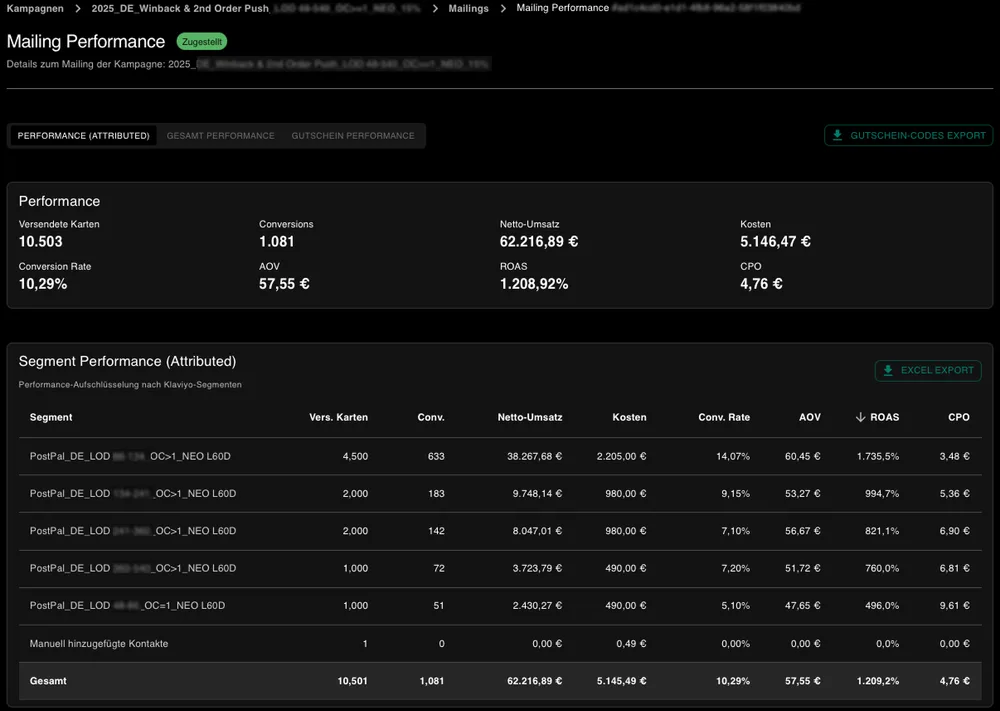
1) Tabs for different KPI definitions: switch easily between performance, total and voucher.
2) KPIs at a glance: the most important metrics are visible immediately.
3) Klaviyo segment breakdown: for mailings created with Klaviyo, you get detailed reporting by segment.
Tip: define your segments granularly, for example one-time buyers vs. repeat buyers, openers vs. non-openers. This takes your RFM segmentation to the next level.
4) Conversions and revenue over time: see how print works over several weeks. We track for 60 days by default.
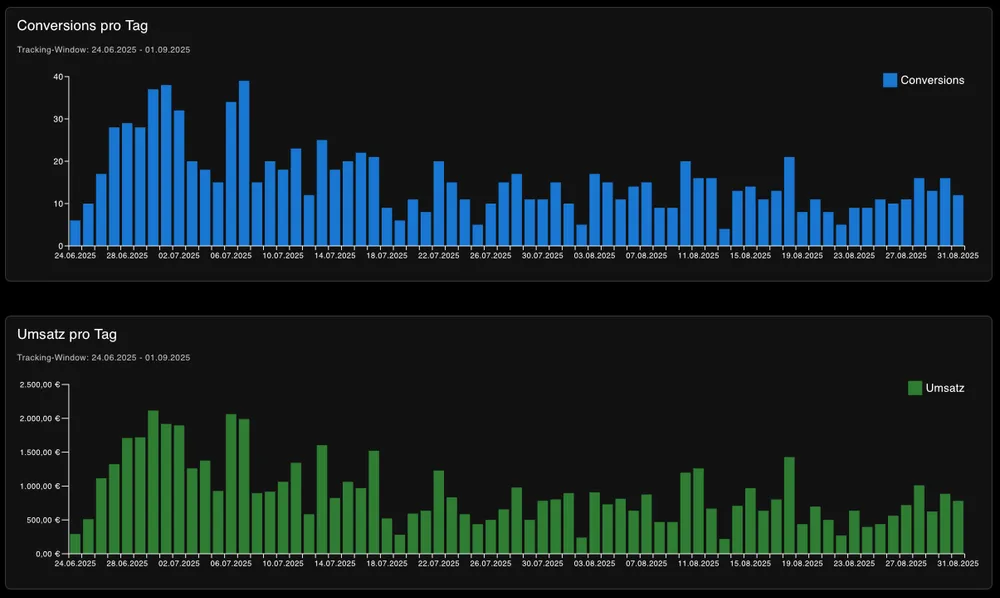
5) Excel export: download all daily data as a report.